Here’s a system built to turn one weekend night into a full week of content — without filming your family, without burning out, and without starting from scratch every day.
The Core Rule: Never Film Without a Set-List
Before you pick up your phone, you already know exactly what you’re shooting, where, and in what order. That’s what makes batching actually work on a 9-to-5 mom schedule.
Your Friday Night Prep (20 min, after bedtime)
- Pick your 3 content pillars for the week. Example: 1) Product demos, 2) Talking-head tips / POVs, 3) B-roll + voiceover hooks
- Write 15 hooks — 5 per pillar. Keep them in your Notes app.
- Build your shot list from those hooks. Every hook = 1 video.
- Charge everything, clear your phone storage, lay out outfits/props.
Saturday Filming Blocks: Location-Grouped
Don’t film video-by-video. Film location-by-location so you’re not resetting lights and backgrounds 15 times.
Block 1: Kitchen Counter (45 min)
- Best for: Product demos, unboxings, “get ready with me” style UGC, cooking/cleaning products
- Shoot: 5 videos back-to-back
- Pro tip: Keep the same top, change only the product + a prop (mug, cutting board, towel) to make each video look different
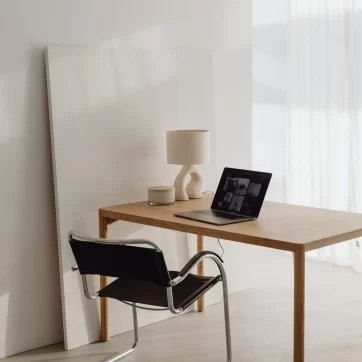
Block 2: Desk / Office Corner (40 min)
- Best for: Talking-head tips, screen-record style UGC, “working mom” POVs, brand testimonials
- Shoot: 5 videos back-to-back
- Keep family off-camera trick: Face a blank wall or bookshelf, use a door closed behind you, and shoot tight (chest-up). No one can tell what room you’re in.
Block 3: Bathroom Vanity / Bedroom Mirror (30 min)
- Best for: Beauty, skincare, hair, self-care, “after bedtime reset” content
- Shoot: 5 videos back-to-back
- Use natural light if you can, or one ring light at 45 degrees. Same angle every time = faster editing later.
Total filming time: ~2 hours for 15 videos. Take a 10-min break between blocks to change your top, redo lip gloss, and reset props.
Your Set-List Template to Copy:
For each video, write:
- Hook (first 2 sec): What you say/do on camera
- B-roll needed: Close-up of product, hands only, over-shoulder
- CTA: What you want them to do
- Outfit / Location: So you don’t repeat the same look twice in a row
Example: “POV: You found a serum that actually works on tired-mom skin” / B-roll: dropper close-up / CTA: Comment SKIN / Outfit: Black top / Location: Vanity
Sunday CapCut Editing Workflow (90 min)
This is where the batch pays off. Don’t edit one-by-one.
Step 1: Import + Rough Cut (30 min)
- Import all 15 clips into one CapCut project
- Trim dead air at start/end of each clip first — don’t add effects yet
- Split them into 15 separate projects using “Duplicate” so your settings carry over
Step 2: Apply Your Template (30 min)
- Save ONE template: Your font, your caption style, your hook text placement, your ending frame
- Apply it to all 15. In CapCut: Effects > Save as preset, Text > Save as template
- Add auto-captions, then fix only the brand names / product names. Don’t retype everything.
Step 3: B-roll + Sound + Export (30 min)
- Add 2-3 seconds of hands-only B-roll over any talking part where you pause
- Add trending sound at 10-15% volume under voiceovers, or use CapCut’s “Extract audio” for voiceover videos
- Export in batches: 1080p, 30fps. Name them: Mon_Hook1, Tue_Hook2, etc. so posting is brainless.
Your Weekly Posting Rhythm
- Mon / Wed / Fri: Talking-head / tip videos (Desk block)
- Tue / Thu: Product demos (Kitchen block)
- Sat / Sun: Softer, vanity / self-care content (Vanity block)
That gives you 7 posts from your batch, with 8 extras banked for brand pitches, stories, or days when life happens.
The Consistency Hack
Consistency isn’t posting every day perfectly. It’s having a bank.
At the end of Sunday, you should have:
- 15 edited videos ready
- 15 captions drafted (use your hooks as the first line)
- 15 hooks saved for repurposing into Reels covers / TikTok text
If you only have 30 minutes next weekend, you can still film 5 — because the system stays the same.